
A Hugo Shortcode for 3D Models
While writing up the details for the 3D printed battery crates I ended up with a post where the key takeaway was a gap you could only see from the right angle, and a screenshot only shows the angle I picked. I previously had a one-off p5.js sketch for one post, but it was a bit janky. So now this site has a model shortcode, and it seemed a waste to keep it to myself.
The Shortcode
It’s nice and easy to use1, just drop a .stl, .3mf or .obj in a page bundle and add one line:
{{< model src="./assets/gear.obj" modes="solid,wireframe,xray" alt="A spur gear" >}}And you get this. Drag it around2:
A gear, generated for the sample site, because I needed something to spin
It’s all three.js underneath, and that only gets fetched once a model is close to the screen3. Without JavaScript you just get a link to download the file.
The wireframe mode has a nice little optimisation to only draw the creases rather than every triangle, the first attempt didn’t have this and it was very noisy.
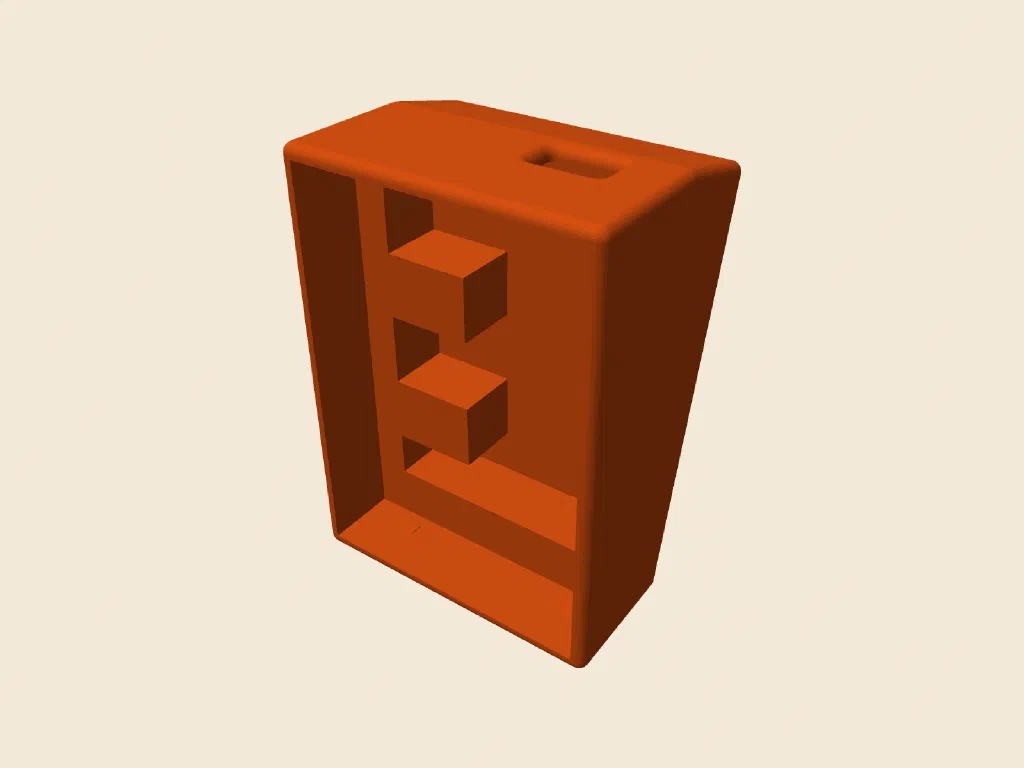
The emailkb case, which you can spin properly over on its own post
Using It Yourself
The shortcode lives in a little theme of its own, but should be easy to style to match your site. The theme is on GitHub, with deliberately plain defaults that you change by setting a few --model-* CSS variables.
It comes with a sample site showing off the features, and it’s MIT licensed, so help yourself.
Final Thoughts
It works for me, so if it works for you let me know. I should get back to doing some more CAD, and doing writeups so I can use it more.
-
The GitHub page covers how to use it in detail. ↩︎
-
Ctrl+scroll or a pinch zooms, a plain scroll just moves the page, because nothing is worse than getting trapped in a 3D view on your way past. ↩︎
-
About 2.3MB of it, which I wasn’t going to make every reader pay for. ↩︎