
Review: UGREEN Finder Pro
I’d been toying with buying some trackers for a while, but the options, like the moto tag, were a bit pricey. Then I spotted these on offer around Black Friday last year. Knowing I was going on holiday in the new year, I grabbed a pack of four to try.
They came with me to Japan, and it was nice knowing my bag had made it to each airport before we’d even got to baggage collection. This latest pack takes me to 12 of these trackers. Every set of keys has one, and so does each piece of luggage.
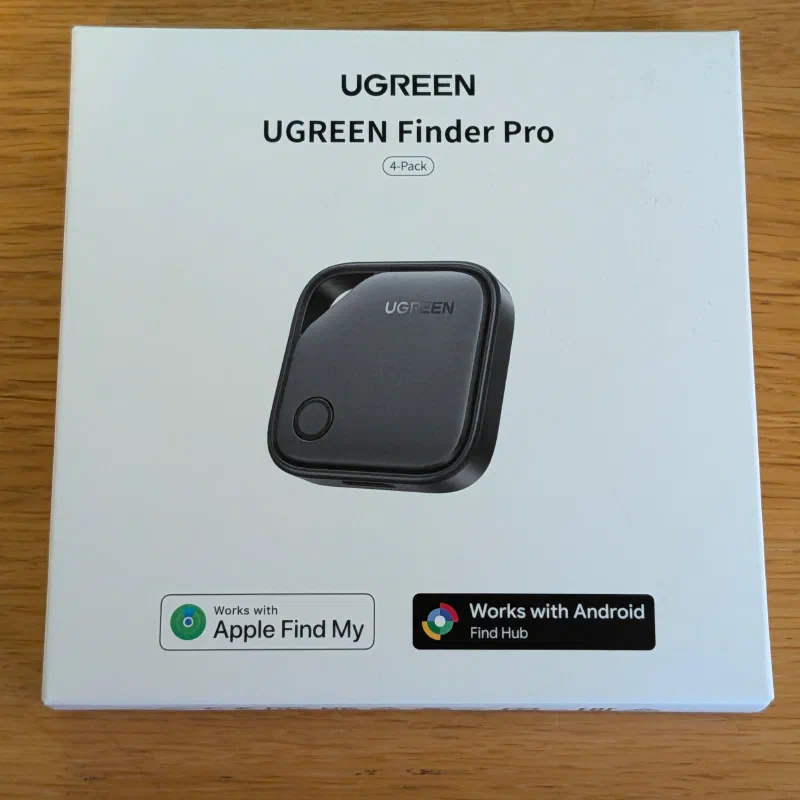
What You Get
I bought the four-pack from Amazon for £24.211. In the box, along with the usual wad of paperwork that no one will ever look at, there are:
- 4 trackers
- 4 spare bungs
- 4 straps
- 1 short USB-A to USB-C cable
I went for this version, which works with both Apple’s Find My and Android’s Find Hub, because it was almost the same price as the Android-only ones, and it leaves me free to switch to an iPhone in the future if I want to. They only work on one network at a time, though, so you can’t share one tracker between an iPhone and an Android phone.
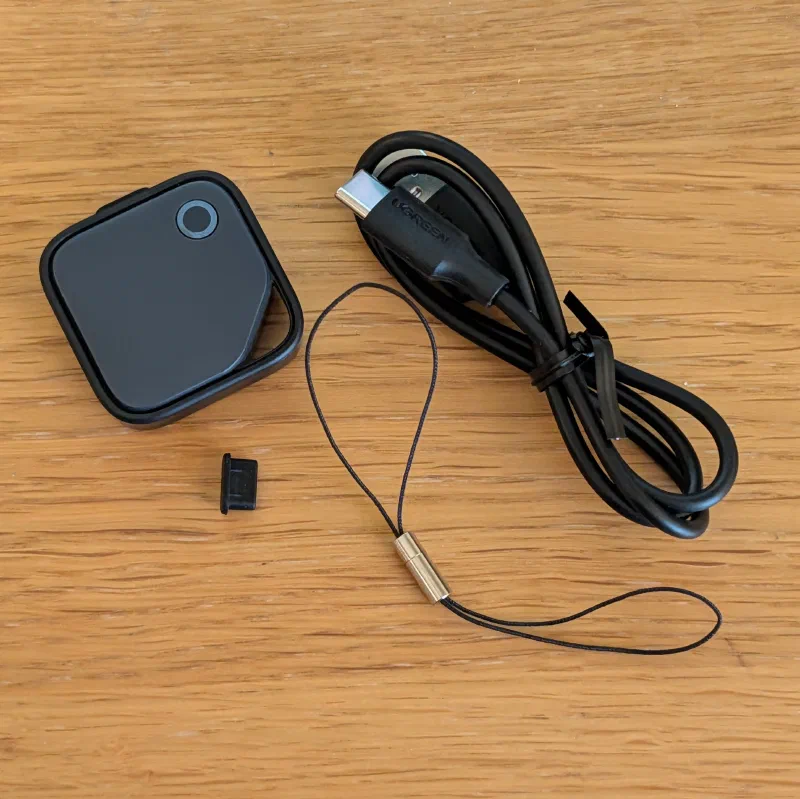
One of everything: a tracker, a spare bung, a strap and the cable.
Setting Up
Setup was easy. Press the button, it beeps, and the phone pops up asking if you want to connect it. That’s it. The only time it went wrong was my own fault: I got distracted and wandered off halfway through pairing, taking my phone out of range of the tracker. Closing the pairing window and trying again sorted it.
Using It
Once they’re set up, using them is easy. It’s all managed through Find Hub, so there’s nothing specific to these trackers to deal with after the initial setup. Just attach them to the important things, jump into the app, and find where you left them. When you’re close, Bluetooth lets you home in on them, and you can set one beeping to help too. I’ve never failed to find one when I’ve needed to.
The USB-C port is covered by a little rubber bung, which I suspect is there to get the water resistance rating UGREEN wanted but never got. It isn’t attached to the tracker, so once it’s out it’s very easy to lose, and I’ve already lost most of the ones from the trackers I use. I guess that’s what the spares are for.
Find Hub Needs Everywhere Mode
If you’re using them with Find Hub on Android, you need to change its network setting to “With network everywhere” (it used to be called “With network in all areas”) to get good results. The default, “With network in busy places only”, only reports where a tracker is once several phones have spotted it, so it only really works in busy places. 9to5Google has a good write-up of the setting and how to turn it on . With it on, the trackers are much more useful2.
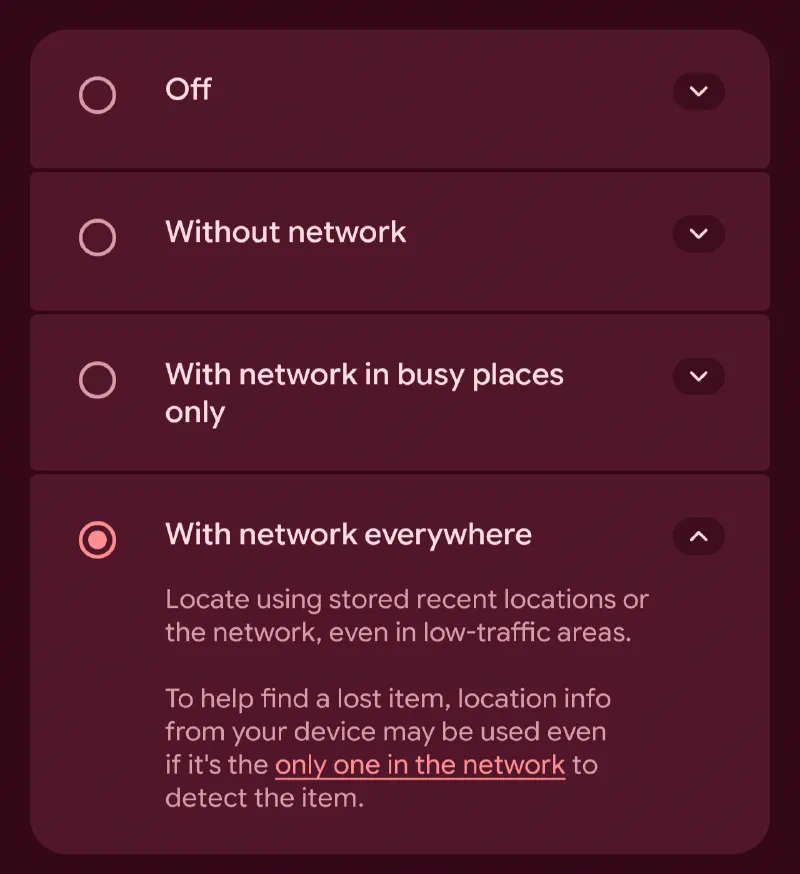
The setting you want: With network everywhere.
The Newer Versions
UGREEN has since brought out newer versions. The FineTrack Mini Duo 2 has a more Apple-like design with no loop, so it needs a holder to attach it to anything. The FineTrack Duo 2 does have a loop, but it looks much weaker than the one on the Finder Pro.
Here’s how the three compare, going by UGREEN’s own pages where I could find the figures:
| Finder Pro (mine) | FineTrack Mini Duo 2 | FineTrack Duo 2 | |
|---|---|---|---|
| Networks | Find My or Find Hub, one at a time | Find My or Find Hub, one at a time | Find My or Find Hub, one at a time |
| Battery | Rechargeable, USB-C | CR2450 (600 mAh), sealed in, not rechargeable | Rechargeable, USB-C (about 2 hours) |
| Battery life | Up to 12 months per charge | 5 to 7 years | Up to 12 months per charge |
| Speaker | 80 dB | 110 dB | 110 dB |
| Water resistance | No certified rating | IP68 (1 m for an hour) | IP68 (1 m for an hour) |
| Size | 30 × 30 × 8 mm, 11 g | 36 × 36 × 11 mm | About 40 mm across |
| Attaching it | Built-in loop | Needs a holder | Built-in loop (looks weaker) |
| Price (4-pack)3 | £24.21 | £25.49 | £30.39 |
Pros and Cons
The Good
- The price: about £6 a tracker, against £29.99 for a single Google Finder Tag 4
- Easy to set up
- Easy and pretty quick to charge
- Built-in loop, so no case or holder needed
The Not So Good
- No UWB5
- They need charging more often than the claimed 12 months
- The bungs over the charging port aren’t attached, so they’re easy to lose
Final Thoughts
I’m happy enough with them that I’ve convinced my mum to buy some. I’d try the Duo 2 trackers if they came up for the right price, but there isn’t anything they add that I really need.
-
The naming is a mess. The box says “UGREEN Finder Pro” and the model number on it is CM916, but UGREEN’s own site sells it as the “FineTrack Duo”, and Amazon.com calls it the “Finder Duo”. To make things worse, UGREEN also sells a completely different solar-powered, iPhone-only tracker as the “Finder Pro”, and the Amazon UK listing for the Mini Duo 2 calls it the “FineTrack Duo2 Air”. ↩︎
-
Even with it on, Find Hub is still worse than Apple’s Find My network. ↩︎
-
Prices are from Amazon UK at the time of writing, which was around Black Friday, so expect them to move about. ↩︎
-
Not that it was an option when I bought my first pack, as Google’s Finder Tag wasn’t out yet. ↩︎
-
Though UWB seems a bit of a mess on Android anyway. ↩︎