EMF Camp: Planetarium Dome Viewer
EMF Camp time is rolling around again. My first EMF was in 2018, and there were so many cool projects, I knew next time I came I had to have something. In 2022, I finally made it happen with some hot-glued LED neon strips lighting up our village. In 2024, I brought an old pedestrian crossing “beg button” retrofitted with a screen, custom animations, and a battery-powered speaker. That crossing button is actually back again this year with an upgrade (and I’ll have a write-up for that coming soon).
With EMF Camp 20261 just around the corner, and our sister village, Astro Observability2, running the full planetarium dome installation this year (EMF has a historical thing for domes, don’t ask), I wanted to build something that would allow people to easily interact with the planetarium and display their own visuals.
But creating visuals for a curved dome is a headache. A flat image gets horribly stretched near the horizon, and you need to know exactly how elements will move as they rotate under a simulated night sky. To solve this, I built the Planetarium Dome Viewer, which is hosted live at martinellis.me/starfield. Vibe coded3 in a weekend, it lets you arrange, edit, and preview assets on a 3D hemisphere, then export them as frame-perfect 180° fisheye video loops ready for projection.
Here is how it works under the hood, and the browser quirks I ran into along the way.
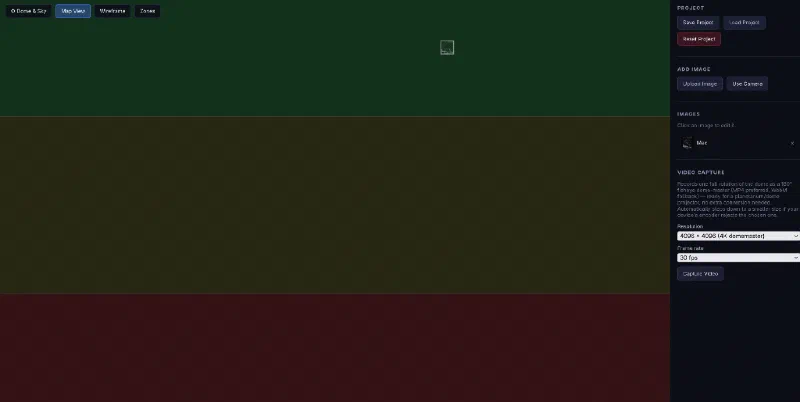
The Planetarium Dome Viewer interface showing the color-coded visibility zones.
The Plan
The goal was to create a client-only utility where you can load images, crop them, key out backgrounds, preview how they rotate, and output high-res 180° equidistant fisheye videos.
Requirements and Stretch Goals
- Run entirely in the browser with no backend requirements
- 3D spherical dome preview using Three.js
- Interactive positioning, scaling, rotation, and cropping of elements
- Automatic background removal based on border color detection
- Custom brightness, contrast, and Bezier curves for adjustments
- Load local HDR backgrounds (e.g. starfields) with adjustable exposure
- Tilted rotation axis matching the observer’s latitude (UK = 38.5° tilt)
- Color-coded “visibility zone” overlay (green = circumpolar, red = never visible)
- Frame-accurate video export up to 4K resolution (dome-master spec)
- Automatic fallback to lower resolution encoders on mobile/low-power hardware
Vibe Coding our way to an MVP
This project was a true exercise in vibe coding. While I managed the high-level architecture, user experience, and debugging, Claude wrote the heavy lifting logic:
- A custom vanilla Radiance HDR (.hdr) RGBE parser4 to decode equirectangular starfields client-side and tone map them on the fly.
- The WebGL fisheye projection shaders and coordinate mapping formulas.
- The IndexedDB configuration to store and load heavy image blobs and configuration state locally.
- The custom canvas Bezier curve editors used for both image adjustment and HDR exposure curves.
The Tech Stack
No React, no bundlers, no build pipeline. The application is written in raw HTML, CSS, and JavaScript, leveraging:
- Three.js: For WebGL rendering, lighting, and cubemap reprojection.
- IndexedDB: For local project storage.
- Canvas API: For pixel-level image filters, border scanning, and curve drawing.
- MediaRecorder & WebCodecs: For capturing the canvas stream and writing the video files.
Maths and Physics on the Dome
UK Latitude Celestial Tilt
In a standard star dome, you might just rotate objects around the vertical Y-axis. But on the real Earth, stars rotate around the celestial pole, which sits at an altitude above the horizon equal to the observer’s latitude.
For EMF Camp (located in Eastnor, UK, at roughly 52°N latitude), the rotation axis is tilted by $90^\circ - 52^\circ \approx 38^\circ$ away from the zenith (directly overhead).
I implemented this by calculating the tilted rotation axis vector and rotating the elements using quaternions:
1const latitudeRad = THREE.MathUtils.degToRad(51.5); // UK Average
2const tiltRad = Math.PI / 2 - latitudeRad; // ~38.5°
3const rotationAxis = new THREE.Vector3(0, Math.cos(tiltRad), -Math.sin(tiltRad)).normalize();
Visibility Zones
Because of this tilt, elements behave in three distinct ways as the sky rotates:
- Circumpolar (Green): Always above the horizon.
- Rising/Setting (Yellow): Disappears below the horizon during part of the rotation cycle.
- Never Visible (Red): Rises and sets entirely below the horizon, meaning viewers in the dome will never see them.
To help designers place their elements, I built a Visibility Zones Debug Overlay that bakes vertex colors onto a helper sphere to outline these boundaries.
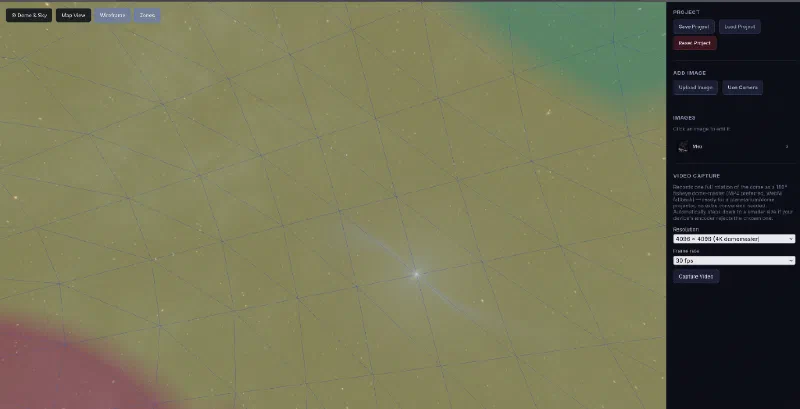
The 3D preview dome displaying the triangular mesh wireframe and visibility zones overlaid on the starfield background.
Smart Image Processing and Caching
To prevent raw images from clogging the browser’s memory, the app automatically downscales uploads, saving them in IndexedDB.
Because projecting rectangular boxes onto a dark planetarium sky looks terrible, I built a full client-side image editor modal to prepare assets before they are placed on the dome.
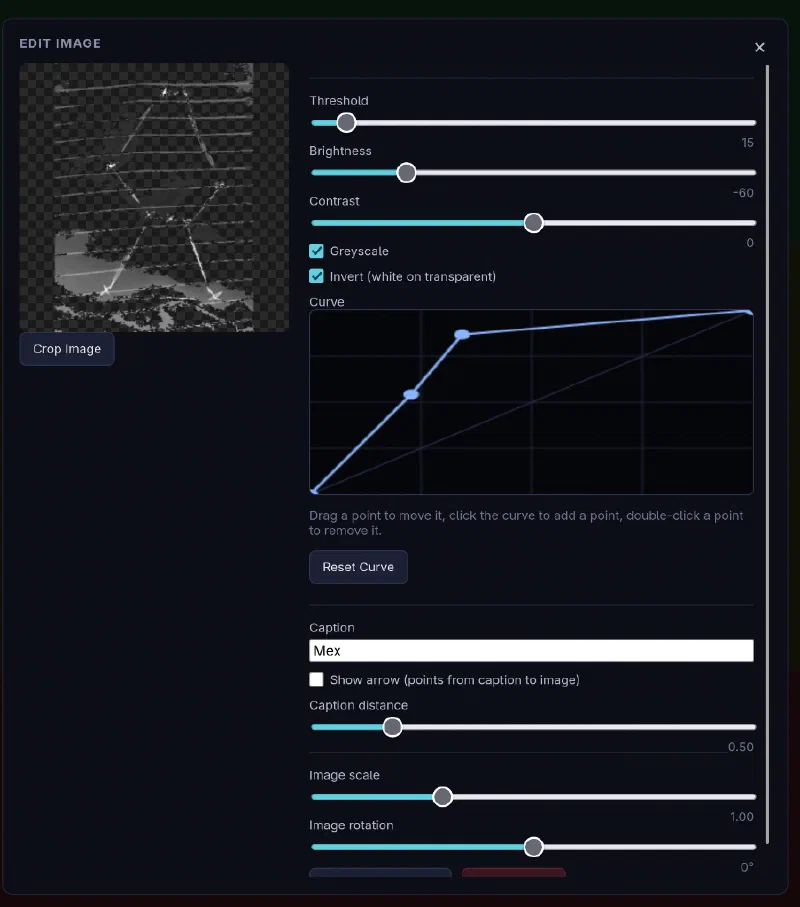
The Image Editor modal displaying threshold, brightness, contrast, and custom curve settings.
Key features of the editor include:
-
Automatic Background Removal: Scans the border pixels of an uploaded image to determine the background color clusters. It then calculates the Euclidean color distance for each pixel:
$$d = \sqrt{(r_1 - r_2)^2 + (g_1 - g_2)^2 + (b_1 - b_2)^2}$$
If the distance is within the user-controlled threshold slider, the pixel’s alpha is set to
0. -
Invert (White on Transparent): Inverts the image colors so that dark lines on light backgrounds (like pencil sketches) project as bright white drawings on the dark dome.
-
Custom Bezier Curves: An interactive canvas-based tone-mapping curve editor. You can click to add points, drag to map input/output curves, and double-click to remove points.
-
Transform Sliders: Immediate feedback sliders for scaling and rotation, letting you position objects precisely on the hemisphere.
The Export Pipeline and Browser Quirks
To create a dome-master5, the app renders the scene into a cubemap (six camera faces looking outward) and reproject it onto a 2D circle using an equidistant fisheye shader. Since the Astro Observability crew gave me the suitable file formats and target sizes to work to, the export pipeline generates exactly what the planetarium projector needs.
The Firefox Capture Problem
For a smooth video export, the viewer pauses the animation and renders frame-by-frame. In Chromium-based browsers, the app uses Frame-Stepped Capture via track.requestFrame()6:
- Advance the animation clock by exactly one frame (e.g. $1 / 30$s).
- Render the WebGL scene.
- Explicitly signal the video capture track to grab the current canvas state.
- Wait for ingestion, then repeat.
This ensures a stutter-free output, even if the GPU takes half a second to render a complex 4K frame.
Firefox (and Safari) do not support this. The video track returned by canvas.captureStream() in Firefox lacks the requestFrame() method.
Because of this missing feature, the export pipeline in Firefox is forced to fall back to continuous real-time capture. If your device encounters a performance hiccup while rendering a heavy scene, the recording will drop or duplicate frames, leading to noticeable video jitter.
For the cleanest, frame-accurate exports, you’ll need to run the application in a Chromium-based browser like Chrome or Edge.
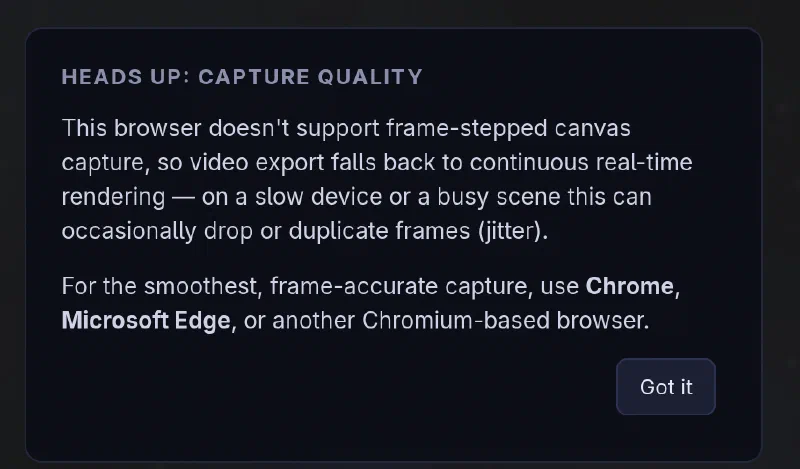
The capture quality warning dialog displayed to Firefox users.
Resolution Fallback
A 4K ($4096 \times 4096$) dome-master is the standard for planetarium projectors, but initializing a video encoder at that size can crash mobile or low-power hardware.
To prevent flat-out failures, the export script detects encoder failures and automatically steps down through a tier of resolutions:
$$4096 \times 4096 \rightarrow 2048 \times 2048 \rightarrow 1024 \times 1024$$
It attempts to record at the highest resolution your system’s hardware encoder can actually handle. You can check out a sample video export to see what the final rendered dome-master loop looks like.
Final Thoughts
This project highlights just how much you can achieve inside a sandbox client environment with modern web APIs. Vibe coding with an LLM accelerated the development significantly, quickly handling mathematical transforms and parsing binary file headers while I focused on refining the user experience.
If you want to play you can do so now at martinellis.me/starfield.
Alternatively, if you are at EMF, come and have a chat. Hopefully, we will have somewhere set up where you can draw a picture to add to the display on the fly.
As for the code, it isn’t open-source7 on GitHub yet, but I plan on releasing it soon.
-
If you’re interested in my previous EMF camp attempts, you can read my posts about EMF 2022 and the EMF 2024 Beg Button. ↩︎
-
Astro Observability actually know what they’re doing with stars and telescopes. Those of us in test village just build things and hope they don’t catch fire. ↩︎
-
Vibe coding (shudder). But in all seriousness, I got a working MVP done in a single day, whereas writing the WebGL projections, HDR parsers, and IndexedDB sync by hand would have taken me weeks. ↩︎
-
Decompressing the RLE scanlines inside the browser is surprisingly fast, but we capped the max dimension to prevent large HDRs from blocking the UI thread. ↩︎
-
A dome-master is a square frame containing a circular 180° view of the hemisphere, where the center of the image is the zenith and the edge is the horizon. ↩︎
-
Chrome’s
CanvasCaptureMediaStreamTrackimplementsrequestFrame()to manually trigger a capture, a feature Firefox lacks. ↩︎ -
I promise the code will be slightly cleaner than the Beg Button repository, but don’t hold me to that. ↩︎